




梗概
- 纯文本元素 (允许比wikidot格式更复杂的风格化)
- 一个“故障文本”元素,可以像纯文本元素一样应用文本样式和动画!
- 故障文本可以附加一个链接,这样当读者点击它时,它会跳转到某个地方 (为了秘密)
- 一个动画div元素 (下文解释了为什么只有一个)
看点超级酷的东西
[[span class="style01-plaintext animation01" style="—content: "我们于黑暗中死去";"]]我们于黑暗中死去[[/span]]
[[span class="style02-plaintext animation02" style="—content: "让你们在光明中存活";"]]让你们在光明中存活[[/span]]
[[span class="style03-plaintext animation03" style="—content: "那是收容失效警报吗?";"]]那是收容失效警报吗?[[/span]]
[[span class="style04-plaintext animation04" style="—content: "别在意";"]]别在意[[/span]]
[[span class="style05-plaintext animation05" style="—content: "只是微波炉";"]]只是微波炉[[/span]]
我们这儿有什么?这很有趣......
我能想象到这个的用法。再配合一些有趣的风格化,比如 太 多 空格,就就是是为为了了 让它看起、来更 ggg-ūū-zhànn—gg!
第 1 步 - 引用:
[[include :scp-wiki-cn:component:glitch-elements]]
第 2 步 - 一个基本Span:
这个组件本身并没有所谓的独立元素,它实际上只是一些预设好的样式和动画的集合,可以应用到 HTML 对象上(主要是span元素)。像这样:示例:
[[span class="style03-plaintext animation03" style="--content: "我们于黑暗中死去";"]]我们于黑暗中死去[[/span]]
结果:
[[span class="style03-plaintext animation03" style="—content: "我们于黑暗中死去";"]]我们于黑暗中死去[[/span]]
模版:
[[span class="{style-class} {animation-class}" style="--content: "{Text Content}";"]]{Text Content}[[/span]]
- "{style-class}" 是决定字体颜色、大小等的东西。
- "{animation-class}" 不言自明,它将动画应用于元素上。
- 有两个版本的动画类别 - "animation0#" 一直播放动画,而 "animation0#-hover" 仅当光标悬停于Span时,才会播放动画。
- "{Text Content}" 这个内容字段出现在两个地方。这两个“字段”必须包含与“--content”变量相同的文本,这正是让动画能够拥有多层效果进行播放的关键。
第 3 步 - 你的选择:
如上一步所示,可以将两种“类”应用于一个元素:“text-style”类和“animation”类。下面是一个展示它们的表格!| 纯文本风格 | 动画风格 | 在一起时 |
|---|---|---|
| 文本风格 1 | [[span class="animation01" style=" | |
| 文本风格 2 | [[span class="animation02" style=" | |
| 文本风格 3 | [[span class="animation03" style=" | |
| 文本风格 4 | [[span class="animation04" style=" | |
| 文本风格 5 | [[span class="animation05" style=" |
更多细节
为什么动画文字不会自动换行?
不幸的是,由于这些动画是通过使用 ::before 和 ::after 伪元素实现的,自动换行会影响这些图层覆盖在原始文字上的位置,从而产生不美观的效果。对于较长的短语,在较小屏幕上可能会导致文字超出屏幕边缘,这显然不是理想情况。
因此,以下动画类应用到元素上时,全部禁用了自动换行:
- "animation01"
- "animation02"
- "animation03"
- "animation04"
特别说明“animation05”被排除在外,因为它并未使用伪元素来实现动画,而是仅通过 text-shadow 实现动画效果。
这也带来了一些有趣的用法,例如可以将该动画应用到整个 div 元素上,其中的文字都会带有动画效果。
如果你想要使用长文本或段落,该如何处理呢?在动画 1-4 中实现长文本的唯一方法是将一整句话/短语/段落拆分成多个 span。这会变得有点混乱,并不是因为很难,而是因为最终结果看起来会像“意大利面代码”。
一个简单的解决办法是按照以下步骤来处理这些“意大利面”:
首先,将多个 span 写在单独的行上,以保证可读性:
[[span class="style05-plaintext animation05" style="font-size:2rem; --content: "我们";"]]我们[[/span]]
[[span class="style05-plaintext animation05" style="font-size:2rem; --content: "于";"]]于[[/span]]
[[span class="style05-plaintext animation05" style="font-size:2rem; --content: "黑暗中";"]]黑暗[[/span]]
[[span class="style05-plaintext animation05" style="font-size:2rem; --content: "中";"]]中[[/span]]
[[span class="style05-plaintext animation05" style="font-size:2rem; --content: "死去";"]]死去[[/span]]
只有在那之后,再移除每个 span 之间的换行符,这样它才能正常工作:
[[span class="style05-plaintext animation05" style="font-size:2rem; --content: "我们";"]]我们[[/span]][[span class="style05-plaintext animation05" style="font-size:2rem; --content: "于";"]]于[[/span]][[span class="style05-plaintext animation05" style="font-size:2rem; --content: "黑暗中";"]]黑暗[[/span]][[span class="style05-plaintext animation05" style="font-size:2rem; --content: "中";"]]中[[/span]][[span class="style05-plaintext animation05" style="font-size:2rem; --content: "死去";"]]死去[[/span]]
现在结果能够支持较小的屏幕尺寸:
[[span class="style05-plaintext animation05" style="font-size:2rem; —content: "我们";"]]我们[[/span]][[span class="style05-plaintext animation05" style="font-size:2rem; —content: "于";"]]于[[/span]][[span class="style05-plaintext animation05" style="font-size:2rem; —content: "黑暗中";"]]黑暗[[/span]][[span class="style05-plaintext animation05" style="font-size:2rem; —content: "中";"]]中[[/span]][[span class="style05-plaintext animation05" style="font-size:2rem; —content: "死去";"]]死去[[/span]]
把动画应用于 一 整 个 Div元素?
由于“animation05”没有使用 ::before 和 ::after 伪元素来提供动画所需的重叠图层,它可以被应用到大段文本甚至整个段落中,并且仍然会受到自动换行的影响。
最简单的做法就是创建一个 div,把文本放进去,然后将“animation05”类应用到该 div 上,如下所示:
[[div class="animation05"]]
Lorem ipsum dolor sit amet, consectetur adipiscing elit, sed do eiusmod tempor incididunt ut labore et dolore magna aliqua. Ut enim ad minim veniam, quis nostrud exercitation ullamco laboris nisi ut aliquip ex ea commodo consequat.
[[/div]]
Lorem ipsum dolor sit amet, consectetur adipiscing elit, sed do eiusmod tempor incididunt ut labore et dolore magna aliqua. Ut enim ad minim veniam, quis nostrud exercitation ullamco laboris nisi ut aliquip ex ea commodo consequat.
隐藏链接?
在页面顶部的项目列表中展示了一个示例,其中“隐藏链接”只是把你送到 SCP-Wiki 主页。归根结底,这只是使用一个 “[[a href=“link…”]][[/a]]” 元素作为包含文本的内部 span 的包装器。
现在,有一个在 FAQ 部分基础使用步骤中未展示的类是 “style0#-link” 类,它用于为 “[[a href=“link…”]][[/a]]” 包装器应用样式。
所有现有的链接类都使用相同的样式规则,之所以存在多个类,仅是为了利用该组件提供的变量进行自定义,这在另一个 FAQ 折叠部分有展示。
下面是一个示例:
为了清晰,拆开:
[[a class="style03-link" href="https://scp-wiki.wikidot.com" target="_parent"]]
[[span class="style03-plaintext animation03" style="--content: '秘密';"]]秘密[[/span]]
[[/a]]
重新放到一起:
[[a class="style03-link" href="https://scp-wiki.wikidot.com" target="_parent"]][[span class="style03-plaintext animation03" style="--content: '秘密';"]]秘密[[/span]][[/a]]
结果
秘密
渲染Bug(BHL + Firefox)
我得知在 Firefox 浏览器中,来自该组件的某个特定动画似乎存在错误。经过与社区中一位成员的深入调查,发现问题并不仅仅出在 Firefox 上。实际上,BHL 会干扰动画使用的 ::before 和 ::after 伪元素的 font-weight,将其改为 400,而 span 元素仍为 700。由于只有在使用 Firefox 时才会将 font-weight 考虑进字距计算,这个问题在组件最初发布时并未显现。
下面是一张测试此特定错误的截图,以便你在遇到该问题时进行对比: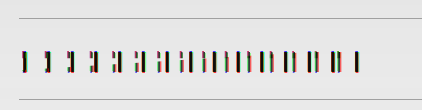
以下是这么做的一个例子:
[[module css]]
.animation01, .animation01-hover:hover,
.animation02, .animation02-hover:hover,
.animation03, .animation03-hover:hover,
.animation04, .animation04-hover:hover {
font-weight: 700; 或者一个变量,比如 font-weight: var(--style04-plain-weight);
}
.animation01::before, .animation01::after,
.animation01-hover:hover::before, .animation01-hover:hover::after,
.animation02::before, .animation02::after,
.animation02-hover:hover::before, .animation02-hover:hover::after,
.animation03::before, .animation03::after,
.animation03-hover:hover::before, .animation03-hover:hover::after,
.animation04::before, .animation04::after,
.animation04-hover:hover::before, .animation04-hover:hover::after {
font-weight: 700; 或者一个变量,比如 font-weight: var(--style04-plain-weight);
}
[[/module]]
如上方引用块所示,你可以为每个动画类设置一个固定的 font-weight 值,或者将其设置为 text-style 变量之一,这样在同一元素上同时使用 text-style 和动画时就不必手动匹配。
你也可以只对单个动画类应用此修复,通过分解选择器实现,如下所示:
[[module css]]
.animation01, .animation01-hover:hover {
font-weight: 700; 或者一个变量,比如 font-weight: var(--style04-plain-weight);
}
.animation01::before, .animation01::after,
.animation01-hover:hover::before, .animation01-hover:hover::after {
font-weight: 700; 或者一个变量,比如 font-weight: var(--style04-plain-weight);
}
[[/module]]
1. 译注:
尽管此组件对中文字符同样生效,我建议你将其应用于英文字符。
不过当然了,我也没怎么试过,说不定某些时候效果还更好,用不用看你心意
d(^_^o)
祝使用愉快~2. 译注:如有需要,这是英文版表格:
Plaintext Style Animation Style All Together Now Text Style 1 [[span class="animation01" style=" content: "Animation 1";"]]Animation 1[[/span]] || [[span class="style01-plaintext animation01" style="content: "Together 1";"]]Together 1[[/span]]Text Style 2 [[span class="animation02" style=" content: "Animation 2";"]]Animation 2[[/span]] || [[span class="style02-plaintext animation02" style="content: "Together 2";"]]Together 2[[/span]]Text Style 3 [[span class="animation03" style=" content: "Animation 3";"]]Animation 3[[/span]] || [[span class="style03-plaintext animation03" style="content: "Together 3";"]]Together 3[[/span]]Text Style 4 [[span class="animation04" style=" content: "Animation 4";"]]Animation 4[[/span]] || [[span class="style04-plaintext animation04" style="content: "Together 4";"]]Together 4[[/span]]Text Style 5 [[span class="animation05" style=" content: "Animation 5";"]]Animation 5[[/span]] || [[span class="style05-plaintext animation05" style="content: "Together 5";"]]Together 5[[/span]]3. 译注:这是一段经典的排版占位文字 Lorem Ipsum,通常不翻译。